Ai2Life client solutions

AI that works with your team and the systems you already use.

Based in Lehigh Valley, Pennsylvania, Ai2Life provides practical AI automation consulting, company knowledge, reporting, custom software, and app development from idea to daily use.

Plan Build Automate Support

Ai2Life for teams

Find the answer. Understand the work. Move it forward.

Start with one useful capability or connect several into a dependable system. Every solution is shaped around approved data, existing tools, clear permissions, and human review.

External research

Search the wider world with sources in view.

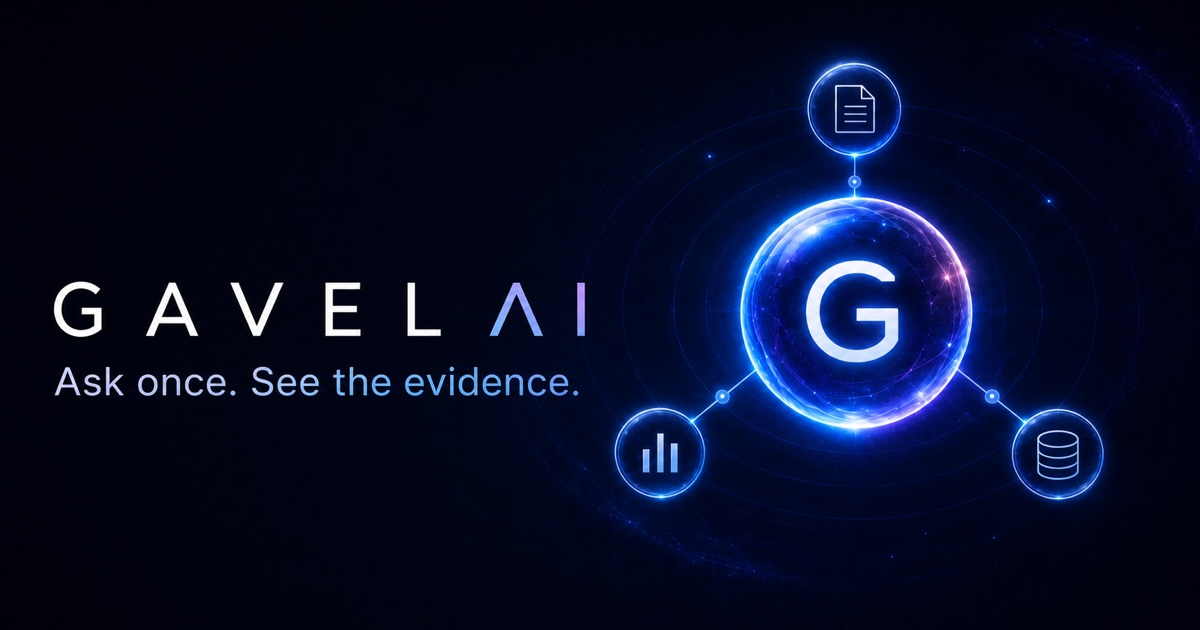
Use Gavel AI for evidence-focused web research, or build a tailored research workflow for your organization, market, or professional field.

  • Source-aware answers and research briefs
  • Focused follow-up questions and comparisons
  • Public information organized for human review
Open Gavel AI
Gavel AI evidence network connecting research sources around a central G
Gavel AI Live evidence-focused search

Workflow action

Ask in plain language. Review the result in plain sight.

Connect approved systems so authorized staff can run recurring reports, check exceptions, prepare follow-up, and move routine work forward without rebuilding it by hand.

  • Employee hours, labor cost, sales, and daily summaries
  • Scheduled reports, reminders, and exception alerts
  • Role-based commands with review and approval steps
Automate one workflow

Operations workspace

Authorized team
Command

Run today’s workforce and sales report. Flag anything that needs review.

Net sales$12,480
Employee hours184.5
Labor cost22.8%
Review flags02

Illustrative preview. Approved source systems remain the record of truth.

Internal knowledge

Turn scattered files into answers your team can verify.

Build a private knowledge experience around the policies, manuals, forms, reports, and approved documents your people already depend on.

  • Natural-language search across approved information
  • Source links, document context, and permission boundaries
  • Clear escalation when a person needs to decide
Plan a knowledge hub

Company knowledge

3 approved sources
What changed in the new customer return process?
Answer

Returns now require a receipt or verified order record. Manager review is needed after 30 days or for specified exceptions.

01 Operations manual

02 Customer service policy

03 Manager exception guide

Illustrative preview using sample business information.

Solutions by team

Useful AI looks different in every part of the organization.

We shape the workflow around the people doing the work, the information they are allowed to use, and the decisions that still require professional judgment.

01

Operations

Daily reports, staffing checks, inventory exceptions, procedures, and recurring follow-up.

02

Healthcare

Administrative workflows, approved knowledge, intake support, and human-reviewed operations.

03

Finance & administration

Invoice intake, cost summaries, document checks, recurring reports, and review queues.

04

Sales & service

Inquiry triage, account research, response preparation, lead summaries, and timely follow-up.

05

Education & research

Source-aware research, organized references, knowledge access, and focused learning tools.

06

Local business

Websites, POS setup, booking, customer communication, and small business automation for Allentown, Bethlehem, Easton, and the wider Lehigh Valley.

Not sure where AI fits? Start with one repetitive task or one question your team answers every day.

Request a focused pilot

Detailed service catalog

Everything needed to move from idea to dependable operation.

Start with the service you need today. The work can remain focused or grow into a larger product and automation partnership.

01

Plan the right solution

Find the useful opportunity before investing in the build.

AI opportunity and readiness

Review repetitive work, customer friction, available data, risk, and expected value.

  • Workflow and bottleneck review
  • Opportunity and priority roadmap
  • Build, buy, or integrate recommendation

Product strategy and experience design

Turn an idea into a clear audience, product promise, feature set, and usable first release.

  • Requirements and user journeys
  • Wireframes and interface direction
  • Launch scope and success measures

Healthcare workflow discovery

Map non-clinical and administrative work with privacy, professional judgment, and operational boundaries visible.

  • Data-flow and access review
  • Human approval checkpoints
  • Compliance and vendor questions to resolve
02

Set up the business foundation

Put the customer experience and daily operating tools in place.

Website and digital presence

Create a credible online presence and connect the customer journey from discovery to booking, inquiry, purchase, or support.

  • Responsive website and clear service pages
  • Booking, forms, portals, and customer follow-up
  • Analytics, search basics, and content handoff

POS selection and setup

Compare compatible platforms and coordinate configuration around how the business actually sells and reports.

  • Platform fit and implementation plan
  • Catalog, tax, discount, and staff-role configuration
  • Inventory, receipts, reporting, and approved connections

Day-one operating setup

Prepare the people and operating details needed for a dependable launch.

  • Hardware and provider coordination
  • Staff roles, training, and operating guides
  • Launch checklist, daily close, and support plan
03

Build the product

Create focused software around the real work people need to do.

Mobile app development

Design and build native app experiences for iPhone and iPad, from working prototype through release preparation.

  • Product interface and app architecture
  • Offline and privacy-conscious experiences
  • Testing and App Store preparation

Websites, web apps, and freelance delivery

Bring us a defined website, feature, redesign, repair, or customer portal for focused project-based delivery.

  • Modern websites, dashboards, and portals
  • Features, integrations, fixes, and redesigns
  • Responsive, accessible interfaces and handoff

Gavel AI search and knowledge tools

Explore Gavel AI or build a focused knowledge system that helps authorized people find information and act with the right context.

  • Natural-language search across useful sources
  • Internal policy, document, and knowledge assistance
  • Sources, permissions, and human review
04

Automate the work

Remove repeatable steps while keeping ownership understandable.

Documents and data entry

Extract, classify, check, and route information from forms, invoices, emails, and approved documents.

  • Document intake and classification
  • Structured data capture and validation
  • Exception queues for human review

Customer service and follow-up

Organize incoming requests, prepare responses, and keep routine communication from falling behind.

  • Inquiry triage and routing
  • Draft replies and follow-up reminders
  • Escalation rules and approval steps

AI workflow and operations reporting

Let authorized staff use plain-language commands to run approved workflows and turn daily activity into clear, reviewable reports.

  • Sales, transactions, refunds, and inventory exceptions
  • Employee hours, labor cost, overtime, and exceptions
  • Scheduled daily or weekly reports and alerts
05

Help the change last

Support the people, controls, and improvements around the launch.

Team training and adoption

Introduce new tools in plain language with responsibilities, limits, and support clearly explained.

  • Role-based walkthroughs
  • Operating guides and approval rules
  • Feedback and adoption checkpoints

Security and privacy planning

Make data, access, vendors, logging, and response expectations part of the solution design.

  • Data classification and permission design
  • Vendor and model boundary review
  • Retention and incident-response requirements

Ongoing support and improvement

Monitor the experience, fix what creates friction, and expand only when evidence supports the next step.

  • Issue review and release planning
  • Quality, usage, and workflow checks
  • Measured feature and automation expansion

Ways to begin

Start at the size that makes sense.

A good first engagement should create clarity and useful progress, not force a larger commitment than the problem requires.

Security and privacy

Security belongs in the workflow, not at the end of it.

The right controls depend on the data, people, systems, and consequences involved. We make those questions visible early.

01

Data map

Identify what information is used, why it is needed, where it moves, and where it should stop.

02

Access control

Define roles, authentication expectations, least-privilege access, and approval authority.

03

Secure handling

Set requirements for encryption, storage, transmission, configuration, and secret management.

04

Logs and oversight

Keep important actions reviewable with audit needs, human checkpoints, and exception handling.

05

Vendor boundaries

Review where third-party services and AI models can operate, what they receive, and what agreements apply.

06

Lifecycle planning

Define retention, deletion, monitoring, incident response, recovery, and periodic review expectations.

HIPAA considerations

For healthcare clients

Compliance is a process, not a badge.

No app, AI model, or cloud service is automatically HIPAA compliant on its own. The answer depends on the organization, intended workflow, protected health information involved, vendors, configuration, contracts, policies, training, and administrative, physical, and technical safeguards.

We can help define the technical scope, map data movement, establish access and review requirements, document vendor questions, and coordinate business-associate requirements with eligible providers. Final compliance decisions should be reviewed with the client's legal, privacy, and security professionals.

Ai2Life does not provide legal advice or certify an organization as compliant.

How the work moves

A clear path, with decisions visible at every stage.

Each phase answers a practical question and keeps the work moving toward a useful, complete result.

01 Immediate start

Focused work can begin as soon as the scope and direction are approved.

02 Two-week target

We aim to complete every project within two weeks whenever the agreed scope allows.

03 Complete handoff

Finished work includes the files, access, documentation, and practical next steps needed to move forward.

01

Discover

Understand the people, process, pain, and desired outcome.

02

Map

Define data, systems, risks, approvals, and success measures.

03

Prototype

Make the important experience visible before a full build.

04

Build

Develop the focused solution with regular review points.

05

Validate

Test usability, quality, boundaries, and operational readiness.

06

Improve

Launch carefully, support the team, and learn from real use.

Your vision, respected

Bring the big idea. We will meet it with energy and clear boundaries.

At or before the first working meeting, the necessary confidentiality and project-ownership paperwork will be signed before detailed discovery or prototype work begins.

Your existing IP stays yours Your concepts, materials, brand assets, and intellectual property remain yours.

Confidential work stays within the project We do not use or share confidential project information outside the agreed work.

Custom ownership is written clearly The agreement defines ownership of deliverables, source files, documentation, and complete handoff materials.

Protection depends on the signed agreement and applicable law. Similar ideas may be developed independently, and third-party tools or components retain their own license terms. Ai2Life is not a law firm, and this is not legal advice.

Frequently asked questions

A clear first conversation starts here.

These are the practical questions teams usually ask before a research, automation, integration, or custom software project.

Does Ai2Life replace the systems we already use?

Usually not. We first look for ways to improve, connect, or automate the tools your team already understands. Replacement is recommended only when the current system cannot support the required outcome safely or dependably.

What business tools can be connected?

Possibilities include approved POS, scheduling, payroll, accounting, spreadsheets, forms, documents, email, inventory, and customer systems. Feasibility depends on available APIs, permissions, contracts, and security requirements.

Can you build a private company knowledge tool?

Yes. We can scope a focused search and question-answering experience across approved documents, with source links, permissions, review boundaries, and escalation to a person when judgment is required.

How is sensitive or healthcare information handled?

We map the data and workflow before choosing technology. For healthcare work, vendor eligibility, configuration, contracts, business-associate requirements, safeguards, and legal or security review must be addressed before protected information is used.

How quickly can a project begin?

Focused work can begin after the scope, access, paperwork, and responsibilities are approved. We aim for a two-week delivery target when the agreed scope allows; larger systems are divided into clear phases.

Who owns the idea and finished work?

Your existing materials and intellectual property remain yours. The signed project agreement defines confidentiality, custom deliverable ownership, third-party components, source files, documentation, and complete handoff.
Request a quote

Bring us the project, process, or idea on your mind.

Every service is available for a quote. Tell us what you need, who it should help, your timing, and what a successful outcome would look like.

Request a quote support@ai2life.org